
What is a programming language?
A programming language is a set of instructions used to instruct a computer. Languages can be low level, like C, which are close to computer language of 1s and 0s, or higher level languages like Python or JavaScript that are closer to English.
The programmer writes a set of instructions in a programming language and then uses either an interpreter or a compiler to translate the code into machine code that the computer can execute.
An interpreter reads the code line by line and translates it into machine code, which is then handled by a virtual machine to produce the binary instructions the computer can execute.
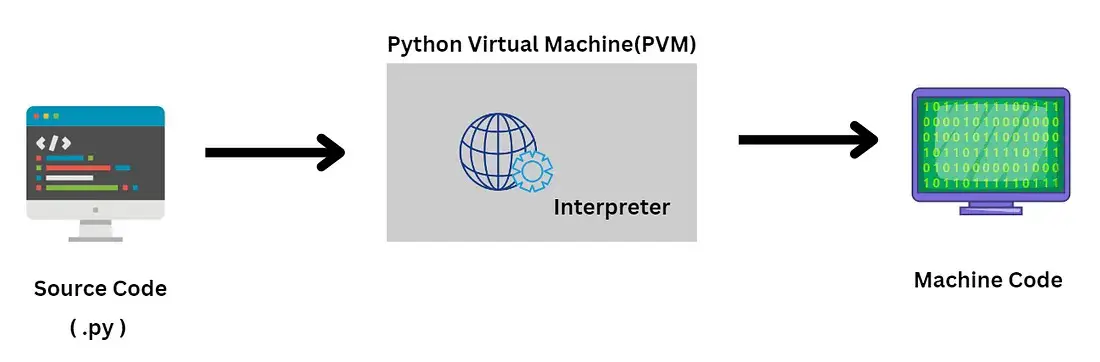
A compiler takes the entire program, reads it and then turns it into machine code all at once.
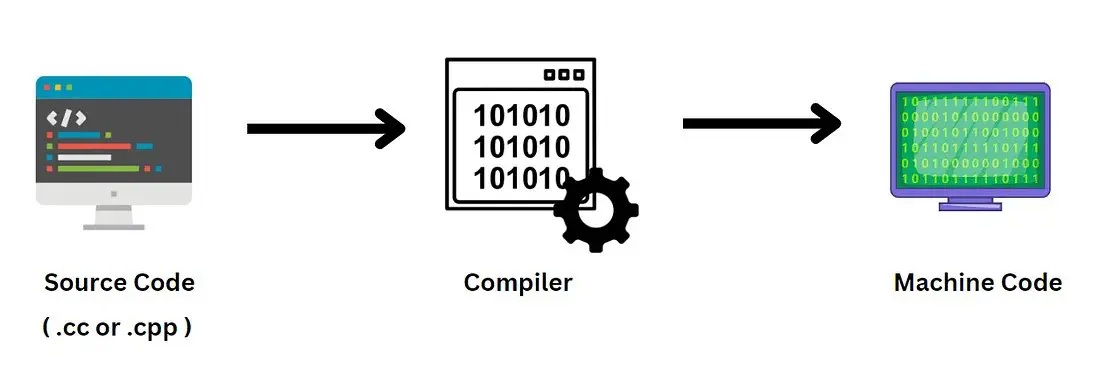
Interpreted vs Compiled
Choosing between an interpreted language like Python and a compiled language like C++ usually comes down to a trade-off between development speed and execution performance.
Compiled Languages (e.g. C++, Rust, Go)
In these languages, a program called a compiler translates the entire source code into machine code specifically for the computer's hardware before the program ever runs.
Advantages
-
Maximum Performance:
Since the code is pre-translated into machine language it runs incredibly fast. This is why C++ is used for game engines and high-frequency trading. -
Early Error Detection:
The compiler checks the entire program for syntax and type errors before it allows the program to run. -
Optimization:
Compilers can perform complex optimizations to make the code run more efficiently during the translation phase.
Disadvantages
-
Slower Development:
You have to wait for the code to build or compile every time you make a change. -
Platform Dependency:
A program compiled for Windows will not run on a Mac. You must recompile the source code for every different operating system. -
Complexity:
These languages often require manual memory management and stricter syntax, leading to a steeper learning curve.
Interpreted Languages (e.g. Python, Ruby, JavaScript)
These languages do not require a pre-run translation. Instead, an interpreter reads and executes the code line by line, translating it on the fly while the program is running.
Advantages
-
Faster Prototyping:
You can write and run code immediately without waiting for a compilation step, making iteration and experimentation much faster. -
Platform Independence:
The same script can usually run on Windows, Mac or Linux without any changes, as long as the interpreter is installed. -
Easier Debugging:
Since the code is executed line by line, the interpreter can tell you exactly where it crashed the moment it hits an error.
Disadvantages
-
Lower Runtime Performance:
Because the code is translated on the fly rather than in advance, interpreted programs generally run slower than compiled ones. -
Errors Found at Runtime:
Many mistakes are only discovered when the program reaches the problematic line during execution. -
Dependency on the Interpreter:
The program cannot run unless the correct interpreter and often specific versions or libraries are installed.
How to Run Python Code
Navigate to https://www.python.org/ and install the most recent version of Python 3 for your operating system.
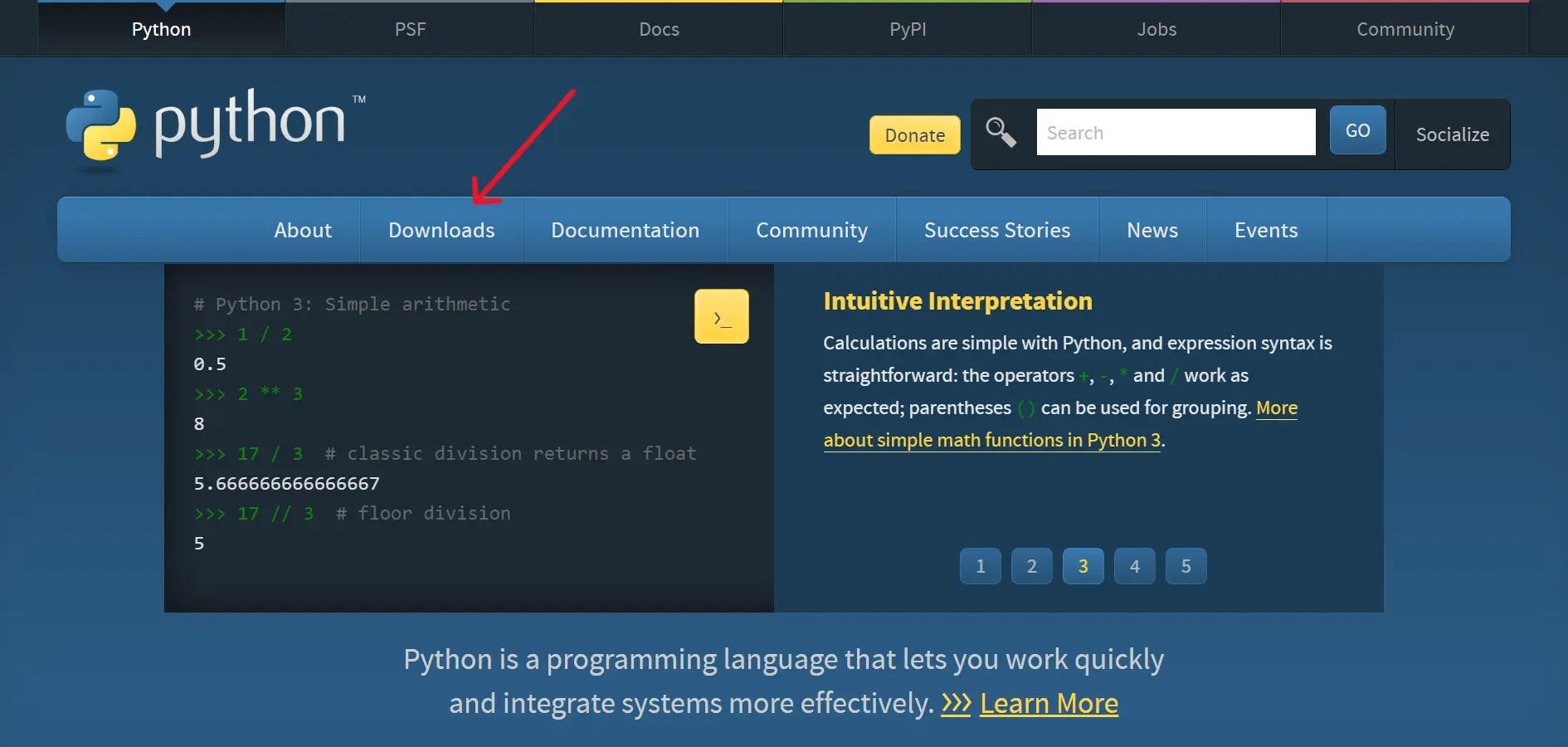
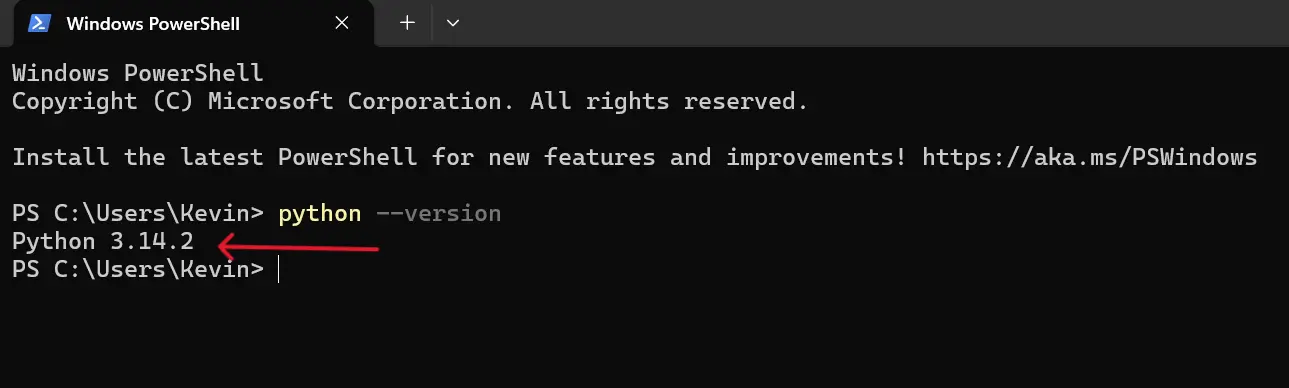
Check that Python has been properly installed
On Windows, open a terminal by pressing the Windows key and R together,
typing cmd and pressing Enter.
On macOS, open a terminal by pressing Command and Space together,
typing Terminal and pressing Enter.
Type python --version and press Enter.
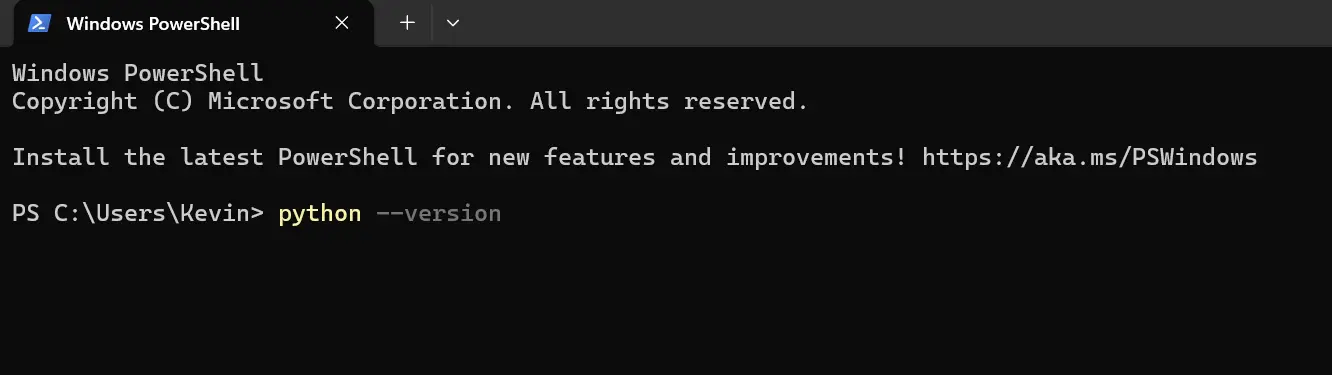
Open or Install VS Code
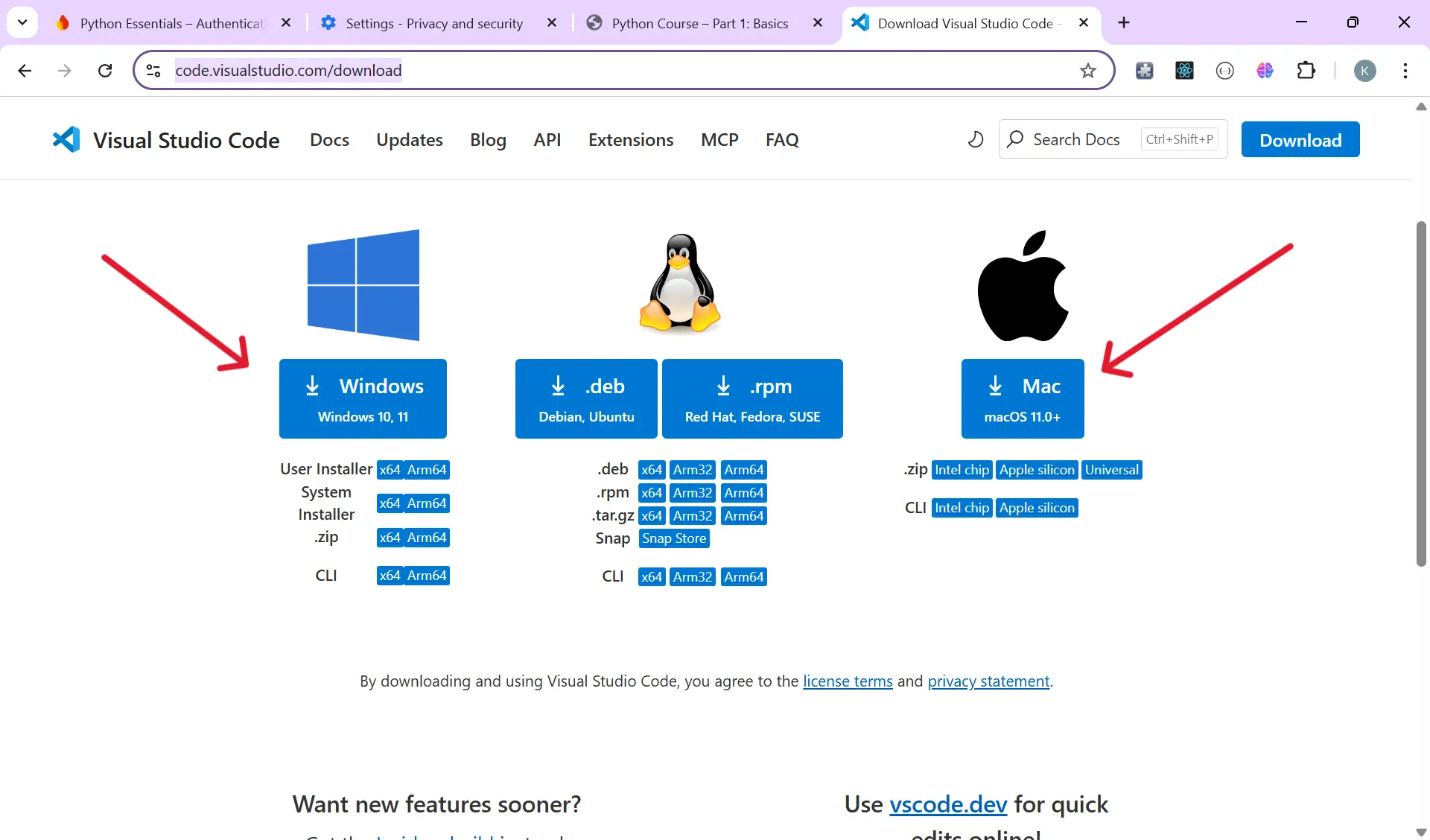
Navigate to visualstudio.com/download and install the most recent version of Visual Studio Code for your operating system.
Installing the Python Extension for VS Code
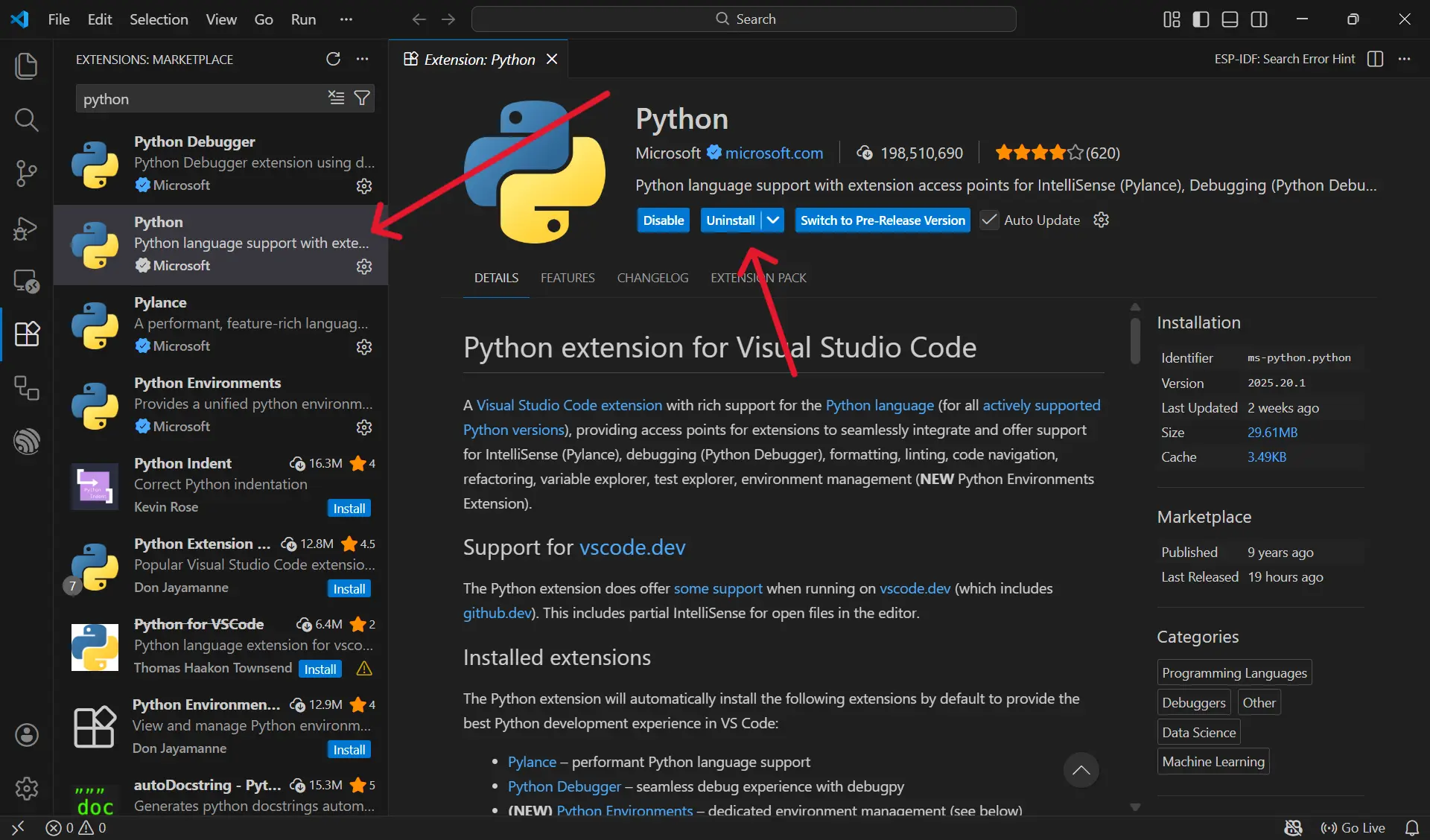
- Open the Extensions View
- Shortcut: Press Ctrl+Shift+X on Windows and Linux or Cmd+Shift+X on macOS.
- Or click the Extensions icon on the left sidebar.
- Search for Python and install the extension by Microsoft.
Setting Up GitHub and GitHub Desktop
Throughout this course you will save and track your work using GitHub. GitHub is a platform that stores your code online and keeps a history of every change you make. GitHub Desktop is a simple application that lets you manage your code without needing to use the command line.
Step 1: Create a GitHub Account
If you do not already have a GitHub account, go to github.com and sign up for a free account.
Step 2: Install GitHub Desktop
Navigate to desktop.github.com and download GitHub Desktop for your operating system. Once installed, open it and sign in with your GitHub account.
Step 3: Clone the Course Repository
Instead of creating a new repository from scratch, you are going to clone the official Python Essentials repository. Cloning creates a copy of the repository on your computer with all the course folders and starter files already in place.
- Open GitHub Desktop
- Click File then Clone Repository
- Click the URL tab
- Paste the following URL:
https://github.com/pythonEssentials2026/pythonessentials.git
- Choose a location on your computer where you want to save the folder
- Click Clone
Step 4: Open the Repository in VS Code
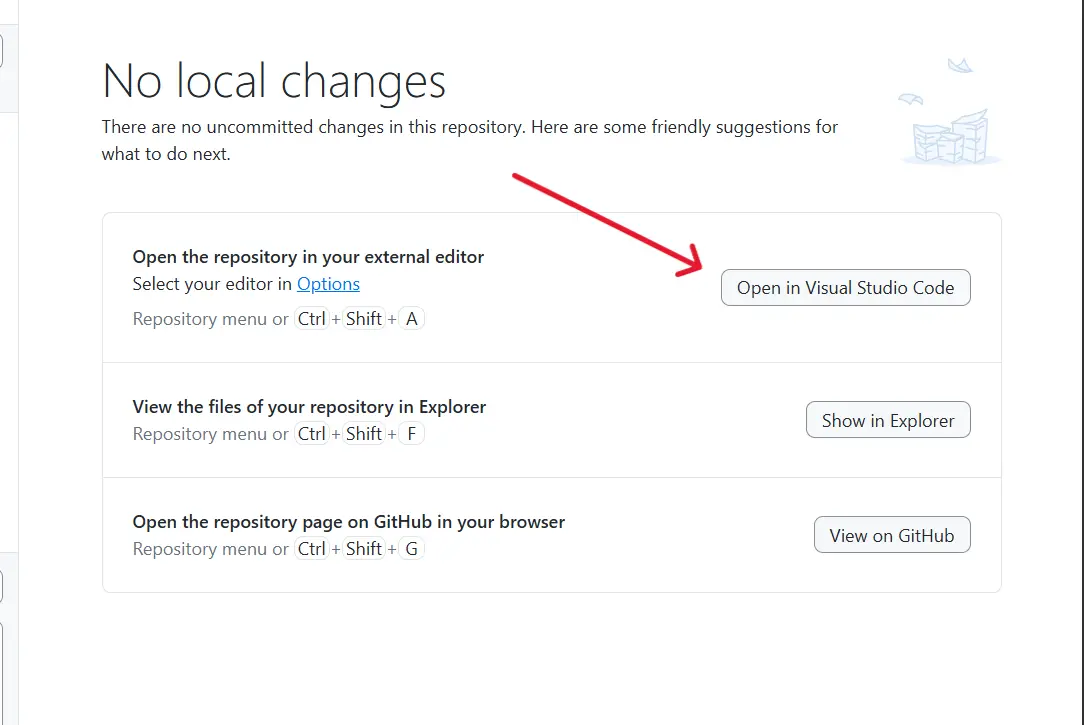
Once the repository has been cloned, click the button in GitHub Desktop that says Open in Visual Studio Code. You will see all the course folders in the VS Code sidebar, one for each lesson. Your starter files are already there waiting for you.
Step 5: Committing and Pushing Your Work
After completing each lesson, save your work and return to GitHub
Desktop. You will see your changed files listed on the left. Add a
short description in the box at the bottom left, for example
completed part3 exercises, then click
Commit to main and then Push origin
at the top. This saves your work to GitHub and builds a record of
your progress.