
Booleans
Are you ready to learn a data type other than numbers and strings? Let’s dive into a brand-new type: Booleans!
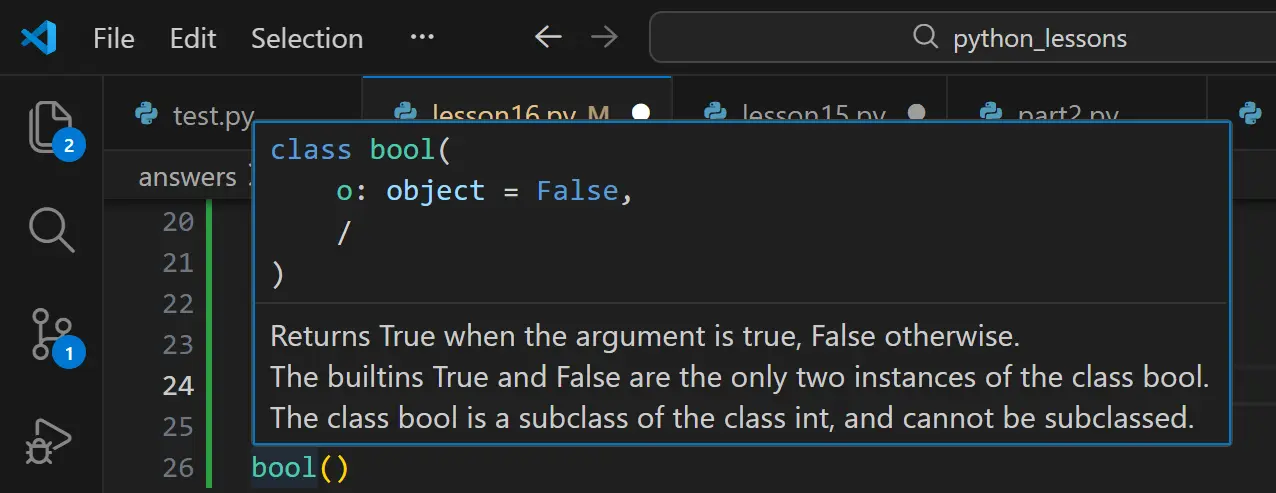
In Python, the data type for Booleans is bool. Unlike strings or numbers, which have infinite possibilities, a bool has only two options: True or False. That’s it!
The Logic of Python
Think of Booleans as a simple "on/off" switch for your code. They are the foundation of logic in programming. It is important to note that in Python, these must always be capitalized (True and False) and they do not use quotation marks. If you put quotes around them, Python will treat them as a regular string!
If you have studied microcontrollers like Arduino UNO, you may remember that in C++, we used HIGH for "on" and LOW for "off." In that environment, HIGH was interchangeable with 1 and LOW with 0. Python follows a similar logic: underneath the surface, True behaves like 1 and False behaves like 0.
Assigning Booleans
Just like strings and numbers, Booleans can be assigned to variables. This is incredibly useful for tracking the "state" of something in your program.
For example, imagine we have a character named Karen:
name = "Karen"
is_raging = False  # Initially, she is calm
At this point, the variable is_raging holds the value False. However, if the situation changes—say, Karen sees a manager—we can update that state:
is_raging = True # Now, the state has changed
By using Booleans this way, your code can "remember" whether a certain condition is met, allowing the program to make decisions later on based on that value.
Try entering print(bool(1))
- Change the argument to zero to see how Python handles numeric values.
- Leave the parentheses empty to see the default result of a blank function.
- Try different using different arguments "What is an argument? In programming, an argument is the specific piece of information you "pass" into a function so it has something to work with. When you use bool(value), the argument is whatever you place inside those parentheses. " (like a name, a decimal, or an empty string) to observe how the output changes.
The "Empty" Rule
In Python, an empty container is considered False, while a container with anything inside it is True.
bool(""): This is a truly empty string (no characters, no length). Because it contains nothing, Python evaluates it as False.
bool(" "): This string contains a space character. Even though a space looks invisible to us, it is still a character with a specific position in memory. Because it "exists," Python evaluates it as True.
Common "Falsy" Values
Most things in Python are "Truthy " Truthy refers to any value that Python evaluates as True because it is not zero, not empty, and not "nothing." " ," but here are the most common values that will always return False when passed as an argument to bool():
| Argument | Value Type | Result |
|---|---|---|
| 0 | Integer (Zero) | False |
| 0.0 | Float (Zero) | False |
| "" | Empty String | False |
| [] | Empty List | False |
| None | The absence of a value | False |
Test Your Knowledge
Select the correct answer below to see if you've mastered Truthy and Falsy.
Loading quiz...
Time to experiment!
Coding Exercises (VS Code) Instructions:
- Create a file named booleans_and_truthiness.py in your part17 folder.
- Complete the tasks and use # comments to explain your answers.
Exercise 1: The Status Switch Objective:
Create a variable named is_online and set it to False. Print a message that says "User is active: " followed by the variable. Then, change the variable to True and print the message again to see the state change.
Exercise 2: The bool() Investigator Objective:
Use the print(bool()) function to test three different arguments: an empty string "", a string with a single space " ", and the number 0. In your comments, explain why the space character returns a different result than the empty string.
Exercise 3: The "Hidden" Truth Objective:
Create a variable called secret_message and assign it the string "0". Use the bool() function to check if this variable is Truthy or Falsy and print the result.
Exercise 4: Truthy Math Objective:
Prove that Python treats Booleans like numbers. Create a variable that adds True + True. Print the result and use a comment to explain why you think Python gave you that specific number (Hint: Think back to the Arduino/C++ logic).
Exercise 5: Input Validation Objective:
Use the input() function to ask a user for their name and store it in a variable. Use bool() to print whether their input was Truthy or Falsy. Test this by running the code once while typing a name, and once by just pressing "Enter" without typing anything.
.gif)
Don't Forget to commit and Push!