
What Are Data Types?
A data type tells Python what kind of information you’re working with. Think of it as a label that says: “This is a number,” or “This is text.” "Python data types are like toolboxes—each category gives you the right tool for the job."
Core types:
str: Text data enclosed in quotes. Used for words, sentences, or any sequence of characters
int: - Whole numbers without decimals. Used for counting, indexing, or math with whole values
float: Numbers with decimals. Used for precise calculations, measurements, or fractions
bool: Truth values: True or False. Used for decisions, conditions, and logic in programs
list: Ordered, changeable collection of items. Used when you need a flexible group of values.
tuple: Ordered, but unchangeable collection of items. Used when you want a fixed group of values.
dict: Key‑value pairs. Used for structured data, like storing attributes of an object.
set: Unordered collection of unique items. Used when you need to avoid duplicates or test membership quickly.
Open Visual Studio Code, and let’s begin working with Python data types.
- Launch Visual Studio Code on your computer.
- Create a new folder: Folder → New Folder
- Save it as part3.
- Create a new file in the part3 folder: File → New File
- Save it as data_types.py "In Python, we use snake_case: words are lowercase and separated by underscores."(the .py extension tells VS Code it’s Python).
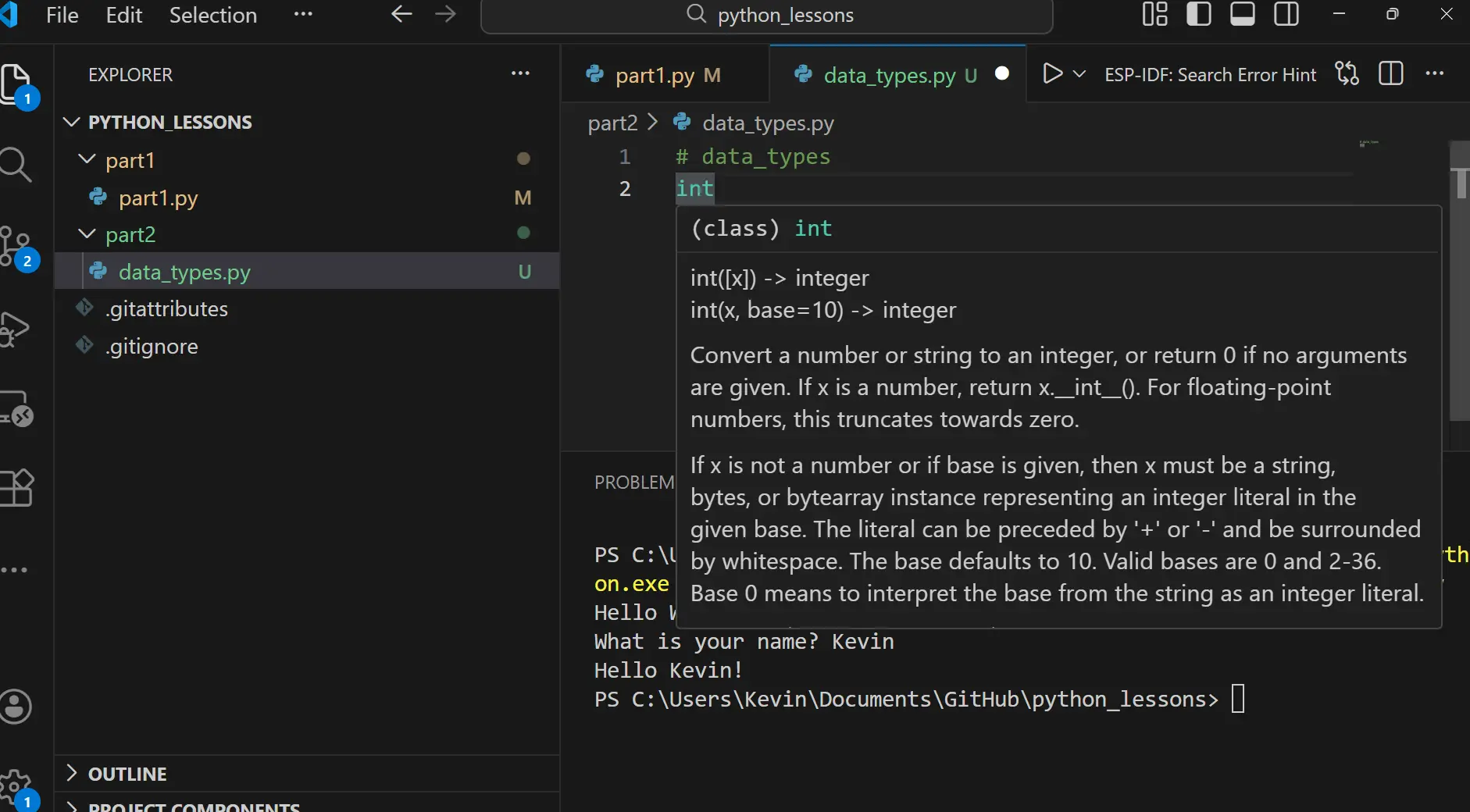
Type int into the editor window. Then hover your mouse over the keyword. A tooltip will appear, showing a description of the integer data type and how it is used. You’ll also notice that the keyword is highlighted in a different color, which helps you quickly recognize it in your code.
We need data types to create, store, and recall information in Python.
Data types are the foundation of programming because they let us:
- Create variables to hold information (e.g., a number, a word, or a list).
- Store that information in memory with the right format.
- Recall and use it later in calculations, decisions, or outputs.
Think of data types as labels on storage boxes. They tell Python what’s inside, so it knows how to handle it when you open the box again.
Python data_types
int "A whole number with no decimal" and float "Numbers with decimals." are both data types used for numbers. An int is an integer, which means a whole number with no decimal point, like 5, 300, or -50. A float is a floating‑point number, which means a number that includes a decimal point, like 3.14, -0.5, or 1.11.
Let’s start with integers. In programming languages like Python, we can use integers to do mathematical operations, for example 2 + 5.
2 + 5
If we just write this equation by itself, nothing will happen, because Python won’t show the result unless we tell it to.
To make Python actually display the answer, we need to perform an action on the data. In the previous lesson we learned that we can use the print keyword with the int data type.
"When we put the equation inside the brackets of print, it’s like saying “solve this problem and then show the result.”"
print(2 + 5)
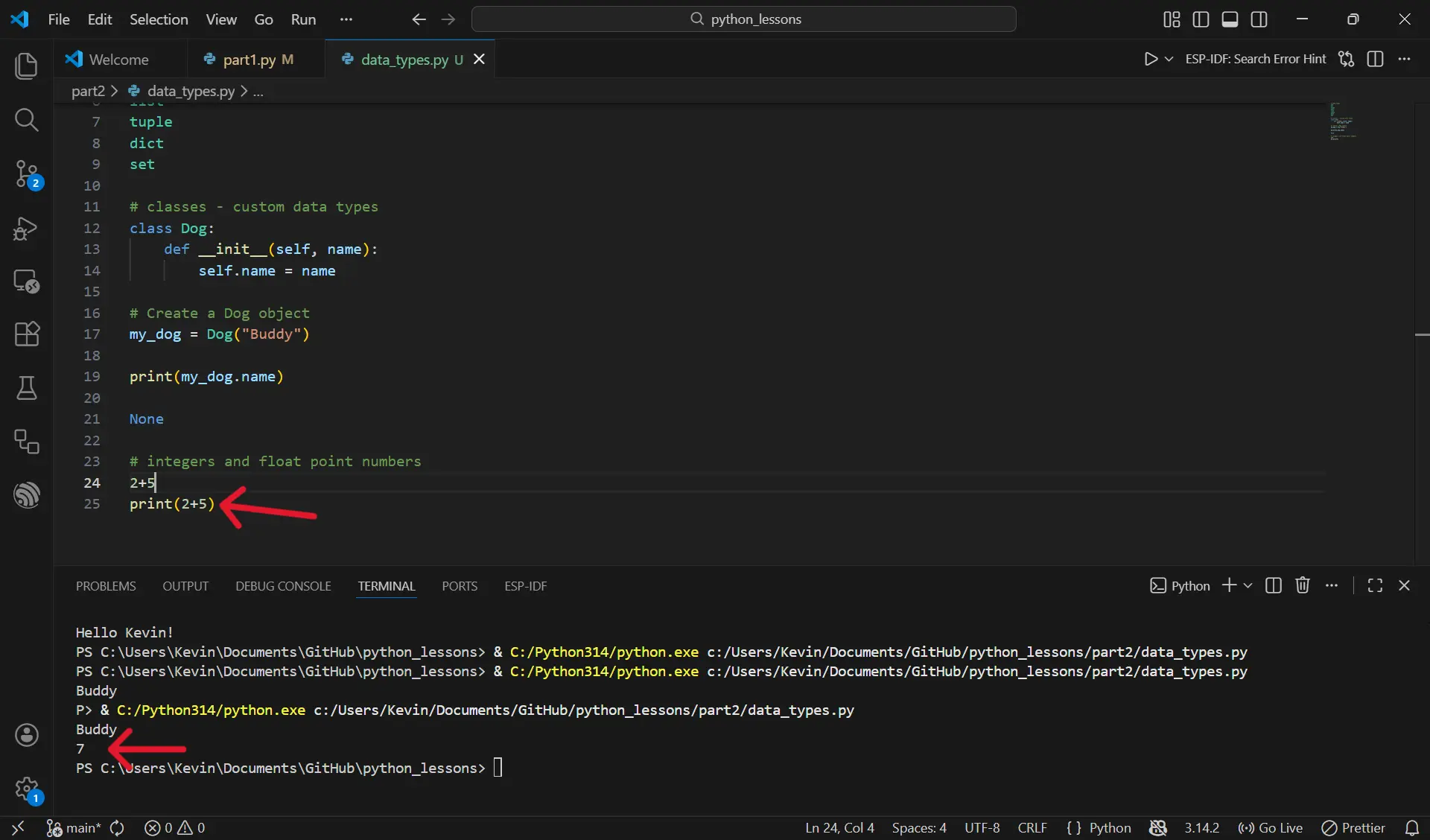
In this example we’re not only using the print function, but we’re also using the plus sign to perform an action on the two data types. If we can add numbers inside the brackets, we can do almost any other mathematical calculation there as well.
print(2 + 5)
print(2 - 5)
print(2 * 5)
print(2 / 5)
7
-3
10
0.4
Now we can see in the terminal window that we can add, subtract, multiply, and divide. This shows that Python can handle all the basic mathematical operations when we place them inside the print function.
So far we’ve talked about integers, but when we look at the output in the terminal it’s clear that the answers are not always integers. Python decides the data type based on the calculation. We can use the type function to show the data type of the result. For example, print(type(2 + 4)) will show us what type Python thinks that answer is.
print(type(2 + 4))
class 'int'
print(type(2 + 4))
print(type(2 - 5))
print(type(2 * 5))
print(type(2 / 5))
class 'int'
class 'int'
class 'int'
class 'float'
What do you think we'll get if we enter print(type(0.000009)) ? Did you guess class 'float'?
If we changed print(type(5.000009)) The result would be float, and if we changed to print(type(9)) the result will be int.
So why does it matter if we have an int "A whole number with no decimal" or a float "Numbers with decimals." ? It matters because when we are programming we need to be aware of how much memory we use. Memory is expensive, so we want to know whether a number is an int, which takes up very little space, or a float, which takes up more space because it has to store the decimal information.
For a more in‑depth understanding of floating‑point numbers, you can follow the link to the Python documentation.
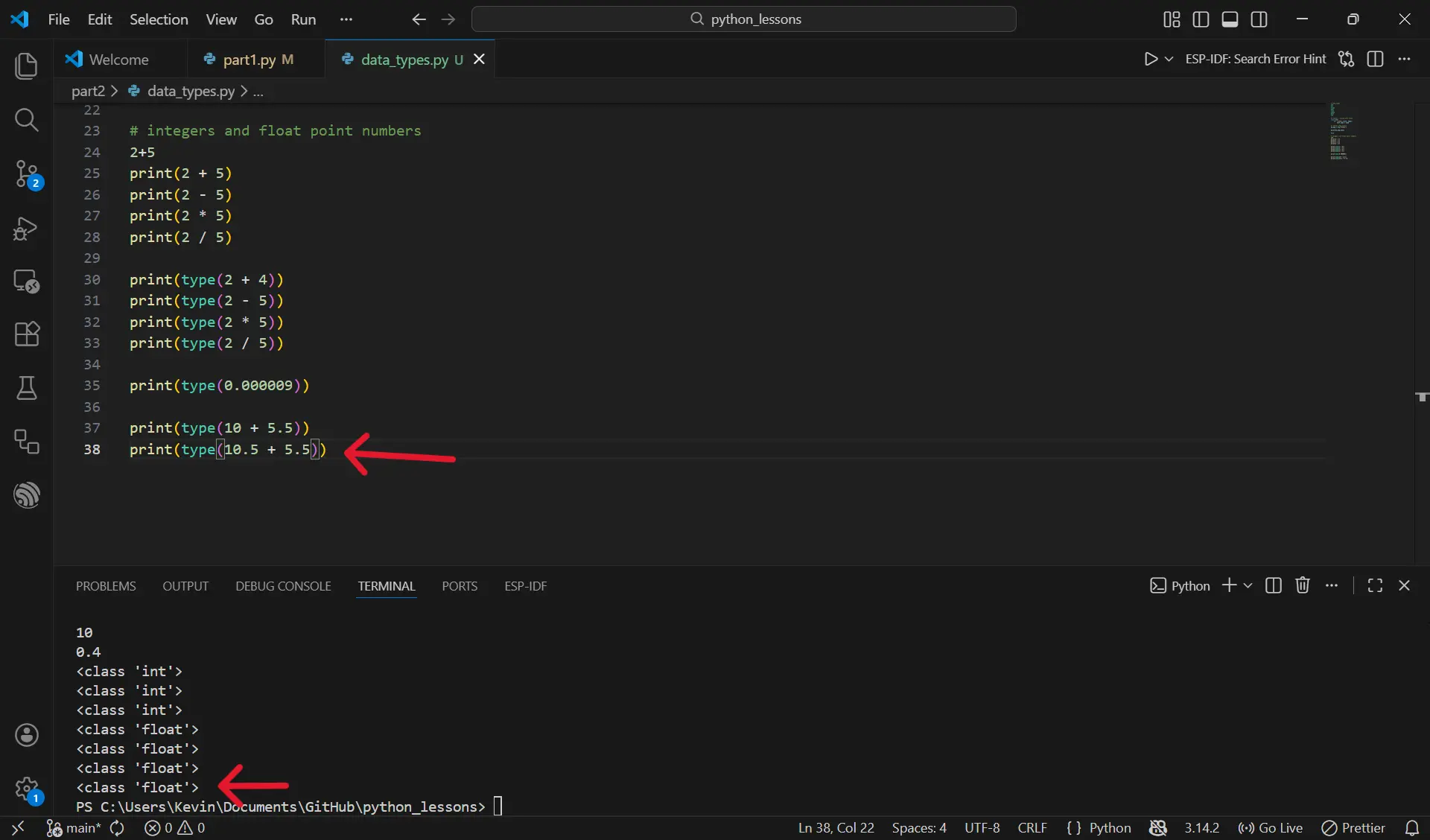
If we use the type function inside print and add two different data types together, like an int and a float, Python will show the result as a float. For example, print(type(10 + 5.5)) gives the answer 15.5, and the type is float. But even if we add 10.5 + 5.5 and the answer looks like a whole number (16), the type is still float, and Python shows it as 16.0. This happens because once a float is involved in the calculation, Python keeps the result as a float
We can also use double multiply in Python, which acts as an exponent. For example, print(2 ** 2) means 2 to the power of 2, which equals 4. And print(2 ** 3) means 2 to the power of 3, which equals 8.
print(2 ** 2)
print(2 ** 3)
4
8
The double divide // gives you the whole number you get when you divide, with the decimal completely removed, while the percent sign % The percent sign % is called the modulo operator. It gives you the remainder after dividing one number by another. you the leftover part of the division, also known as the remainder.
print(9 / 2)
print(9 // 2)
print(9 % 2)
4.5
4
1
Classes
Beyond Python’s built‑in data types, we can define our own classes. A class is a custom data type that lets us bundle data and behavior together in a structure we design.
The following example: A class is a custom data type. Dog is the type, and my_dog is a piece of data of that type. "snake_case uses lowercase words with underscores (for variables and functions). PascalCase capitalizes each word with no underscores (for class names)."
class Dog:
    def __init__(self, name):
        self.name = name

# Create a Dog object
my_dog = Dog("Buddy")

print(my_dog.name)
In addition to classes, Python also provides special data types that come from libraries (we’ll learn about libraries later). Python also has a final data type called None, which represents ‘null’ or ‘nothing’. "None is used when you want a variable to exist, but it should not have a value yet. It literally means “nothing here right now.”
Time to experiment!
Coding Exercises (VS Code) Instructions:
- Open the part3 folder in your cloned repository and complete the exercises below.
- Complete the tasks and use # comments to explain your answers.
Exercise 1:
Write a program that stores three different types of values in variables, then prints them
Hint: Each variable should store a string, like: name = "Kieran"
Expected output:
Kieran
28
is_student
Exercise 2:
Create three variables using different kinds of text, then combine them into a sentence.
Goal: Practice combining multiple string variables into one readable output.
Expected output:
Your favorite food is pizza, your favorite color is blue, and your favorite number is 7.
Variation with User input:
What is your favorite food?
What is your favorite color?
What is tour favorite number?
Exercise 3:
Predict what each line will print before running the code.
Instructions: For each of the following print functions use a comment to predict the out come before running the program.
# Predict the output, then run the code
# example
print(1 + 1)   # 2

print(4 + 6)
print(4 - 6)
print(4 * 6)
print(4 / 6)

print(type(4))
print(type(4.6))

print(3 ** 2)
print(11 // 3)
print(11 % 3)
Exercise 4:
Predict the result AND the data type before running.
Instructions: For each of the following print functions use a comment to predict the out come before running the program.
# Predict the result AND the data type before running
# example
print(1 + 2 + 3) # 6
print(type(1 + 2 + 3)) # class int

print(5 + 3 * 2)
print(type(5 + 3 * 2))

print((10 - 4) / 3)
print(type((10 - 4) / 3))

print(2 ** 3 + 1)
print(type(2 ** 3 + 1))

print(15 // 4 + 15 % 4)
print(type(15 // 4 + 15 % 4))
Click on the GitHub cat, to open github desktop.
.gif)
Don't Forget to commit and Push!