
Docstrings
As your programs grow larger and your functions become more complex, it becomes increasingly important to document what your code does. Not just for other developers who might work with your code, but for your future self. You will be surprised how quickly you can forget what a function does when you come back to it weeks or months later.
A good rule of thumb is to write your code as if someone else is going to read it. Because eventually someone will. That someone might even be you.
What is a Docstring?
A docstring is a string placed at the very top of
a function body, wrapped in triple quotes '''. It
describes what the function does, what parameters it expects and
what it returns. Unlike a regular comment, a docstring is not just
ignored by Python. It is stored as part of the function and can be
accessed programmatically.
Here is a function without a docstring:
And here is the same function with a docstring:
Now hover your cursor over the function call trigger()
in VS Code and you will see the docstring appear as a tooltip:
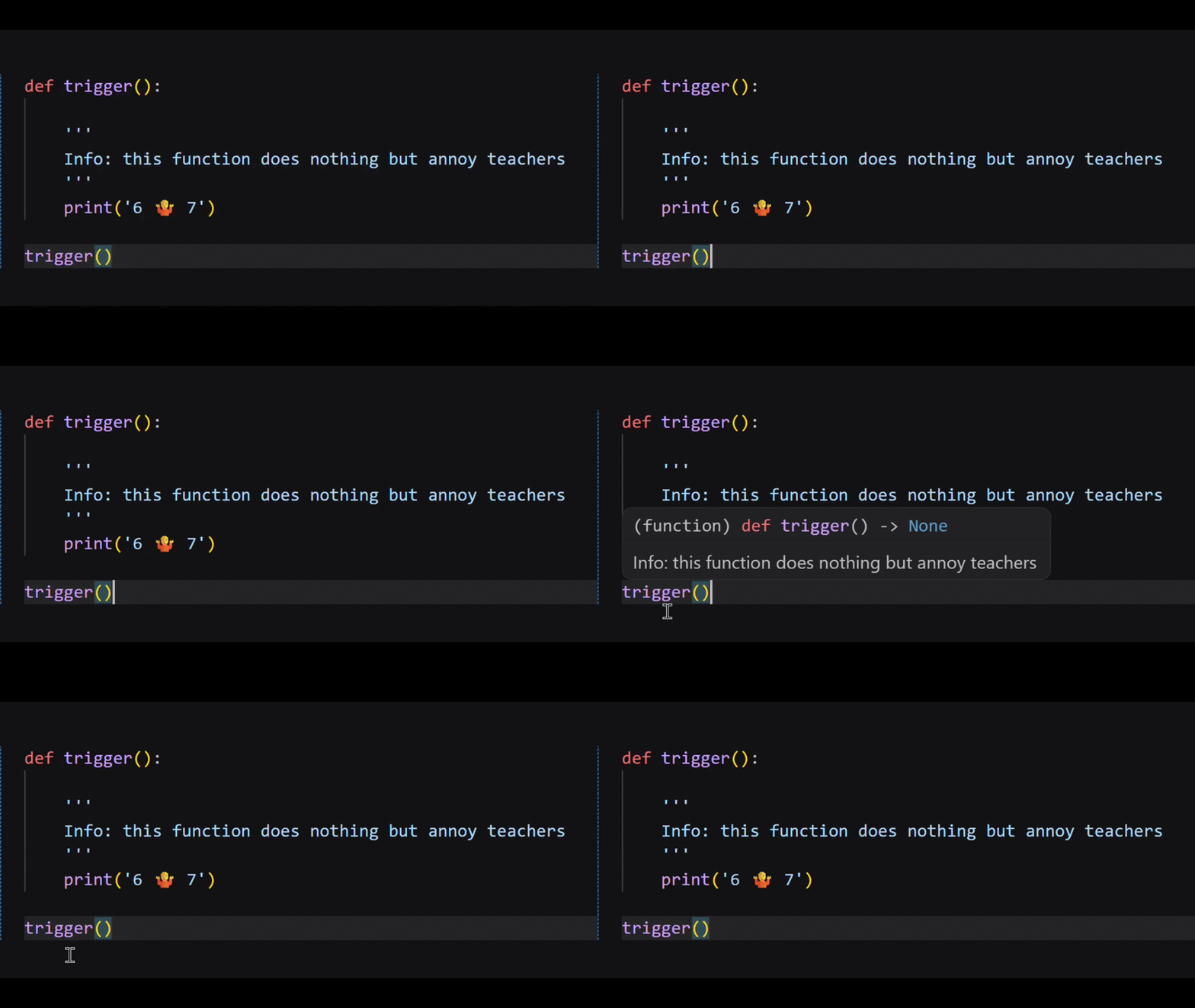
This is one of the most practical advantages of docstrings. When you or another developer calls a function defined somewhere else in the program, you can see exactly what it does without hunting through the file to find the definition and read through the code.
If you look at any of Python's built in functions like
len() or print() and hover over them in
VS Code you will see the same thing. Every built in function has a
docstring written by the Python development team. That is the
description you see when you hover.
Accessing Docstrings
There are two ways to access a docstring programmatically. The first
is using Python's built in help() function which prints
a formatted description of the function including its docstring:
The second is using the dunder method
.__doc__ which returns the raw docstring as a string
that you can print directly:
Both give you access to the same information. help()
formats it nicely and .__doc__ gives you the raw text.
When to Use Docstrings
Docstrings are particularly valuable in three situations:
- Large codebases where functions are defined in one place and called in many others. Without docstrings tracking down what every function does becomes a significant time drain.
- Team environments where other developers need to use functions you wrote without having to ask you what they do or read through all your code to figure it out.
- Returning to old code where you need to quickly understand what you wrote weeks, months or even years ago without spending time deciphering the logic all over again.
Get into the habit of writing docstrings for every function you create. It takes thirty seconds and will save you hours in the long run.
Time to experiment!
Coding Exercises (VS Code) Instructions:
- Create a file named docstrings.py in your part54 folder.
- Complete the tasks and use # comments to explain your answers.
Exercise 1: Write Your First Docstring
-
Task: Take the
highest_even()function you wrote in the previous lesson and add a docstring to it that explains what the function does, what argument it expects and what it returns. -
Goal: Once you have added the docstring hover over
the function call in VS Code and verify the tooltip appears. Then
use both
help()and.__doc__to print the docstring and write a comment explaining the difference between the two outputs.
Exercise 2: Document Your Own Functions
- Task: Write three functions of your choice. They can do anything you like as long as each one has a meaningful purpose. Each function must include a docstring that clearly explains what it does, what parameters it takes and what it returns.
-
Goal: Call each function and then print each
docstring using
.__doc__. Write a comment explaining why a good docstring should be written for someone who has never seen your code before.
Exercise 3: Read a Built in Docstring
-
Task: Use the
help()function to read the docstring of three different Python built in functions of your choice. For examplehelp(len),help(print)orhelp(range). - Goal: For each one write a comment in your own words summarising what the docstring tells you about the function. Write a final comment explaining why reading documentation is an important skill for any developer.
.gif)
Don't Forget to commit and Push!