
Binary and Complex
We talked about the most common data types in a previous lesson, but there are a couple we left out: Binary and Complex.
Binary and Complex are data types that are not commonly used, but I think you should be aware that they exist. Like many things in programming, simply understanding that they are available is often all you need to know. When a situation arises that requires their use, it is more important to recognize their existence than to have memorized their exact syntax or implementation.
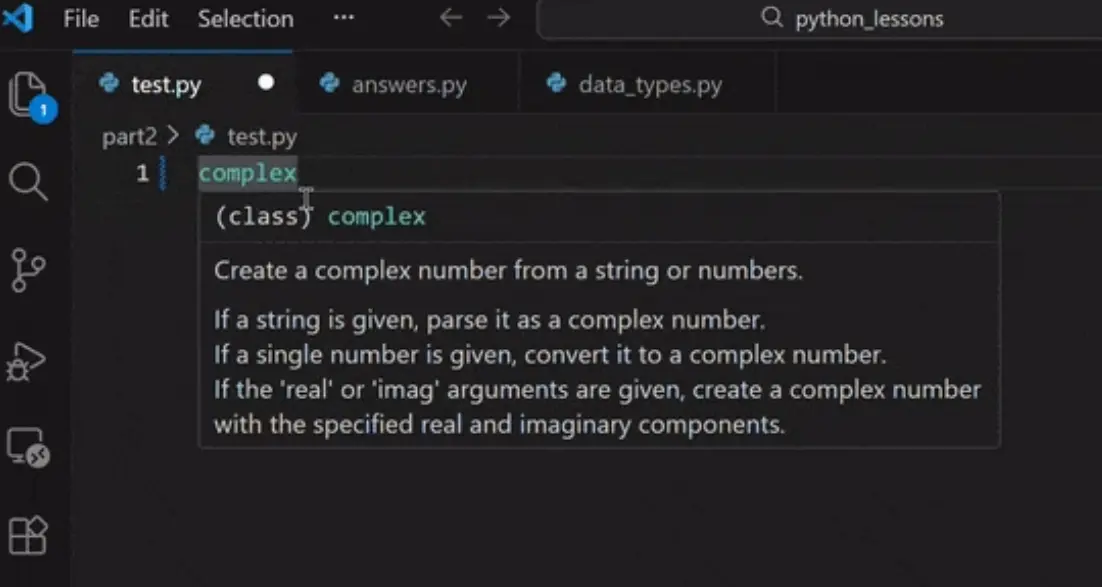
The Complex Data Type
The complex data type is used for—you guessed it—complex math. While it is unlikely you will use this often in your everyday development journey, it is still important to know it exists. This is especially true if you are using LLMs (Large Language Models) to help write your code, as they may occasionally suggest complex numbers for mathematical logic.
Why it matters
In Python, complex numbers are written with a j to represent the imaginary part (instead of the i used in traditional mathematics)
Time to experiment!
Try checking the type of this equation:
z = 3 + 5j
Even if you never plan to be a data scientist or a physicist, recognizing this syntax will prevent you from being confused if you see it in a script or an AI-generated solution.
Test Your Knowledge
Select the correct answer below to see if you've mastered the Complex Data Type.
Loading quiz...
Binary: How Computers "Think"
It is not only important but fascinating to know that when we use numbers in coding, they are stored in the computer's memory as binary numbers.
While humans use Base 10 (0-9), computers use Base 2 (0 and 1). In this system, numbers are represented by a series of switches that are either "on" (1) or "off" (0).
Conversion Examples:
- The number 1 is 1
- The number 2 is 10
- The number 4 is 100
- The number 25 is 11001
Seeing Binary in Python
In Python, you can use the built-in bin() "Warning: The bin() function gives you a String, not a Number. If you try to add two binary strings together (like bin(2) + bin(2)), Python won't give you 4. It will just smash the text together to look like 0b100b10." function to see the binary equivalent of any integer. When you run this, you will notice that Python adds a 0b "Why 0b? Python uses prefixes to tell different number systems apart. 0b = Binary (Base 2) 0x = Hexadecimal (Base 16) 0o = Octal (Base 8) Without the 0b, Python wouldn't know if 101 meant the number five (binary) or the number one hundred and one (decimal)." prefix to the start of the result. This prefix is simply Python's way of identifying that the number is a Base 2 (Binary) number.
Time to experiment!
- Convert 25 to binary
- Change 0b111111 to an int
- Add bin(5) to bin(7)
Converting Back to Whole Numbers
Once you have a binary string, you will often need to convert it back into a standard integer (Base 10). To do this, we use the int() function, but with a special "twist."
The "Base" Argument
Normally, int() just turns a string like "10" into the number 10. However, because binary is Base 2, we have to tell Python to count in groups of two instead of groups of ten
Example: int('0b1001', 2), will return 9 because we are taking a base 2 number and converting it to a base 10 number.
Time to experiment!
Find the binary "code" for the number 10.
- Use the bin() function to find the binary value of 10.
- Look at the output—can you identify the 0b prefix?
- Now, try to convert that binary string back to an integer using int("...", 2).